Level up a character
Look for the orange cash-price plate on the character’s stand.
Level up your characters, identify Jackpot and Grade Tokens, find the code box, and build your Blue Lock Farm with illustrated guides.
Practical help for the controls and items players ask about.
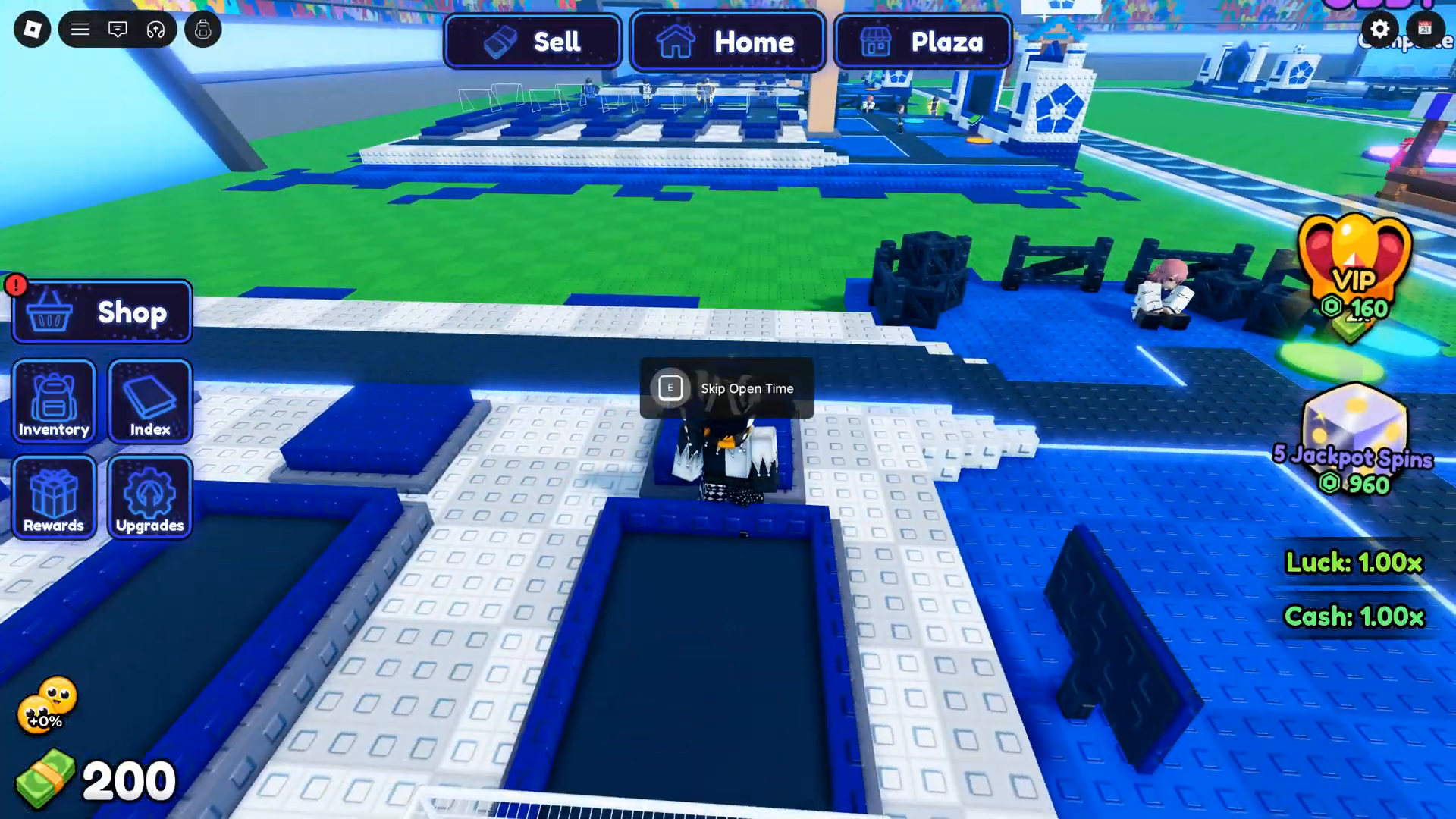
The official Roblox description says players open Blue Lockers to unlock characters, place characters to generate money, upgrade characters, and buy better Lockers for a chance at rare characters with boosts. It also says money generates while the player is offline.
This independent guide separates that official description from single-session video observations and third-party code instructions. Research sources were checked on 26 September 2026. Code status, prices, and rates can change.
Read the player guides →Find the right upgrade control, identify the dice item, or follow the code-entry route.
Look for the orange cash-price plate on the character’s stand.
Match the Jackpot Token icon and keep it separate from Grade Tokens.
Follow the Shop route and check the result after redeeming.
Six illustrated guides covering the core loop, character levels, grades, tokens, codes and base upgrades.
6 guides to explore
Understand what the official description confirms about Blue Lockers, character placement, earnings, and the game screen.
Read Guide
Follow the code entry route reported by English guides and see which code names have an official mention or a dated third-party report.
Read Guide
See what one gameplay recording showed for Locker time, another player slot, and Walk Speed, with the capture date beside each value.
Read Guide
Find the upgrade button on a placed character’s stand, read the price, and tell character levels apart from grades and base upgrades.
Read Guide
Select a character at Ranking, check the token or cash option, and understand what the grade roll changes.
Read Guide
Identify the dice-shaped Jackpot Token, see its link to Jackpot Spins, and review which usage details remain unverified.
Read GuideTry a different search or reset your filters.
Use the official Roblox game page linked in the Start Playing guide.
Open a Blue Locker, place an unlocked character, and check the in-game display as the farm runs.
Inspect the live upgrade description and price in your own session. Dated video values are reference observations.
Source links and dates are included on the matching guide pages.
The official Roblox description says it does. The available research did not measure an offline return, earnings cap, or collection step.
WEATHER remains in the official description checked 27 September 2026. COMMUNITY and POLISHER are dated third-party reports. No named code was live-tested during this research.
The listed prices are observations from one video session. Check the current panel before using them.
The reviewed frames show a sign and a per-ball value. They do not show a sorted character list or identify a comparable roster.
Approach a placed character and find the orange upward-arrow plate at its feet. It shows the cash price and current-to-next level. The E Remove prompt has a different purpose.
The inventory labels the purple-and-yellow die Jackpot Token. It is associated with Jackpot spins. The purple crystal is a separate Grade Token used in Ranking.